2.4 GHz vs 5 GHz Wi-Fi: Which One Should You Use?
If you have ever opened your Wi-Fi list and seen two networks with almost the same name, you have met the 2.4 GHz vs 5 GHz choice. Both come from the same router, but they behave very differently. One reaches farther, and the other is usually faster. Picking the right one can fix slow speeds and dropped connections without buying anything.
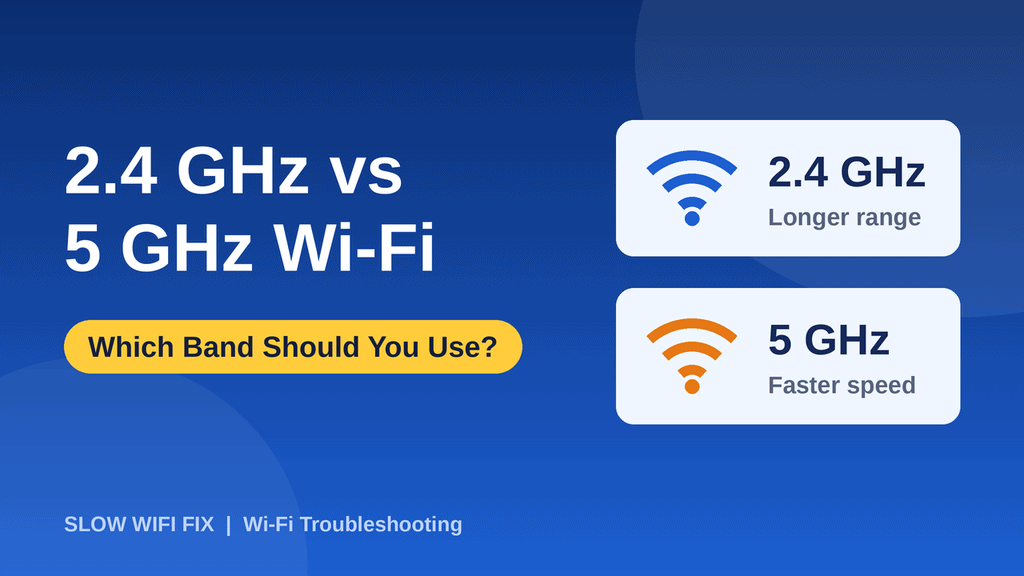
Quick answer: use 5 GHz when you are close to the router and want speed (streaming, gaming, video calls). Use 2.4 GHz when you are far away, behind walls, or connecting simple smart-home devices.
What are 2.4 GHz and 5 GHz Wi-Fi?
GHz (gigahertz) describes the radio frequency your router uses to talk to your devices. Most modern routers are dual-band, which means they broadcast on two bands at the same time: 2.4 GHz and 5 GHz. Think of them as two roads to the same destination. One is longer and slower but reaches almost everywhere. The other is shorter and faster, but it does not go as far.
2.4 GHz vs 5 GHz: the main differences
| 2.4 GHz | 5 GHz | |
|---|---|---|
| Speed | Slower | Faster |
| Range | Longer | Shorter |
| Through walls | Better | Weaker |
| Interference | More (crowded) | Less |
| Number of channels | Few | Many |
| Best for | Far rooms, smart devices | Streaming, gaming, calls |
When to use the 2.4 GHz band
The 2.4 GHz band uses a lower frequency, and lower frequencies travel farther and pass through walls and floors more easily. Choose it when:
- You are far from the router or on a different floor.
- There are thick walls between you and the router.
- You are connecting smart-home devices such as plugs, cameras, bulbs, or older printers. Many of them only support 2.4 GHz.
- You care more about a stable signal than top speed, for example browsing or email.
The downside is that 2.4 GHz is crowded. Microwave ovens, cordless phones, Bluetooth devices, and your neighbors’ routers all use the same band, and there are only a few channels to share. That is why it can feel slower or less steady in busy buildings.
When to use the 5 GHz band
The 5 GHz band is faster and cleaner, because it has more channels and fewer devices competing for them. Choose it when:
- You are in the same room or close to the router.
- You stream HD or 4K video, play online games, or make video calls.
- You download large files or update big apps.
- You live in an apartment building with many neighboring networks.
The trade-off is range. 5 GHz signals fade faster with distance and struggle with walls, so a device that sits two rooms away may get a weaker connection than it would on 2.4 GHz.
What about 6 GHz and newer Wi-Fi?
Newer routers (Wi-Fi 6E and Wi-Fi 7) can also use a 6 GHz band. It offers even more room and less interference, but its range is shorter still. If you have such a router, it is best for devices that sit in the same room as the router. For most homes, understanding 2.4 GHz and 5 GHz is all you need.
How to choose the right band for each device
- Laptop or TV near the router: 5 GHz.
- Phone moving around the house: 5 GHz close to the router, and it can switch to 2.4 GHz farther away.
- Smart plugs, cameras, and printers: 2.4 GHz.
- Devices in a far bedroom or basement: 2.4 GHz.
- Gaming console or work computer: 5 GHz, or a cable if possible.
How to check which band you are using
- Windows 11: open Settings → Network & internet → Wi-Fi, click your network’s Properties, and look for Network band.
- Android: open your Wi-Fi network details. Many phones show the frequency or the band (2.4 GHz or 5 GHz).
- Mac: hold the Option key and click the Wi-Fi icon to see the channel and band details.
- iPhone: iOS does not show the band, so use your router’s app or settings page instead.
How to connect to a specific band
Some routers combine both bands under a single name, and your device decides which one to use. If you want control, log in to your router settings and give each band its own name, for example HomeWiFi and HomeWiFi-5G. Then you can pick the band you want on each device. If your router has a “Smart Connect” or “band steering” option, you can also leave it on and let the router choose automatically.
New to router settings? Our guide on how to restart a router is a good first step, and you can fix many speed problems with the tips in our guide on why your Wi-Fi is slow.
Frequently asked questions
Is 5 GHz always faster than 2.4 GHz?
Not always. 5 GHz is faster when you have a strong signal, but if you are far from the router, a weak 5 GHz signal can end up slower than a strong 2.4 GHz one.
Why can’t my device see the 5 GHz network?
Older devices and many smart-home gadgets only support 2.4 GHz. If your device is new and still cannot see 5 GHz, check that the 5 GHz band is turned on in your router settings.
Which band is better for gaming?
5 GHz is usually better for gaming because it has less interference and lower delay. For the best results, use an Ethernet cable if your console or PC is near the router.
Can I use both bands at the same time?
Yes. A dual-band router runs both at once, and different devices in your home can use different bands.
Should I turn off 2.4 GHz?
Usually no. Many devices need it, and it gives better coverage in far rooms. Keep both bands on unless you are sure every device supports 5 GHz.
Still unsure which band works best for your home? Send us a message on our Contact page, and we will help.